Features
What your patients use, what your team works in, and how it all stays connected, in the order care actually happens.
01 · Your patient app
Your look, your voice and only the features you offer, connected to the system your team already uses. Live in days, not months.
Image: branded app screens
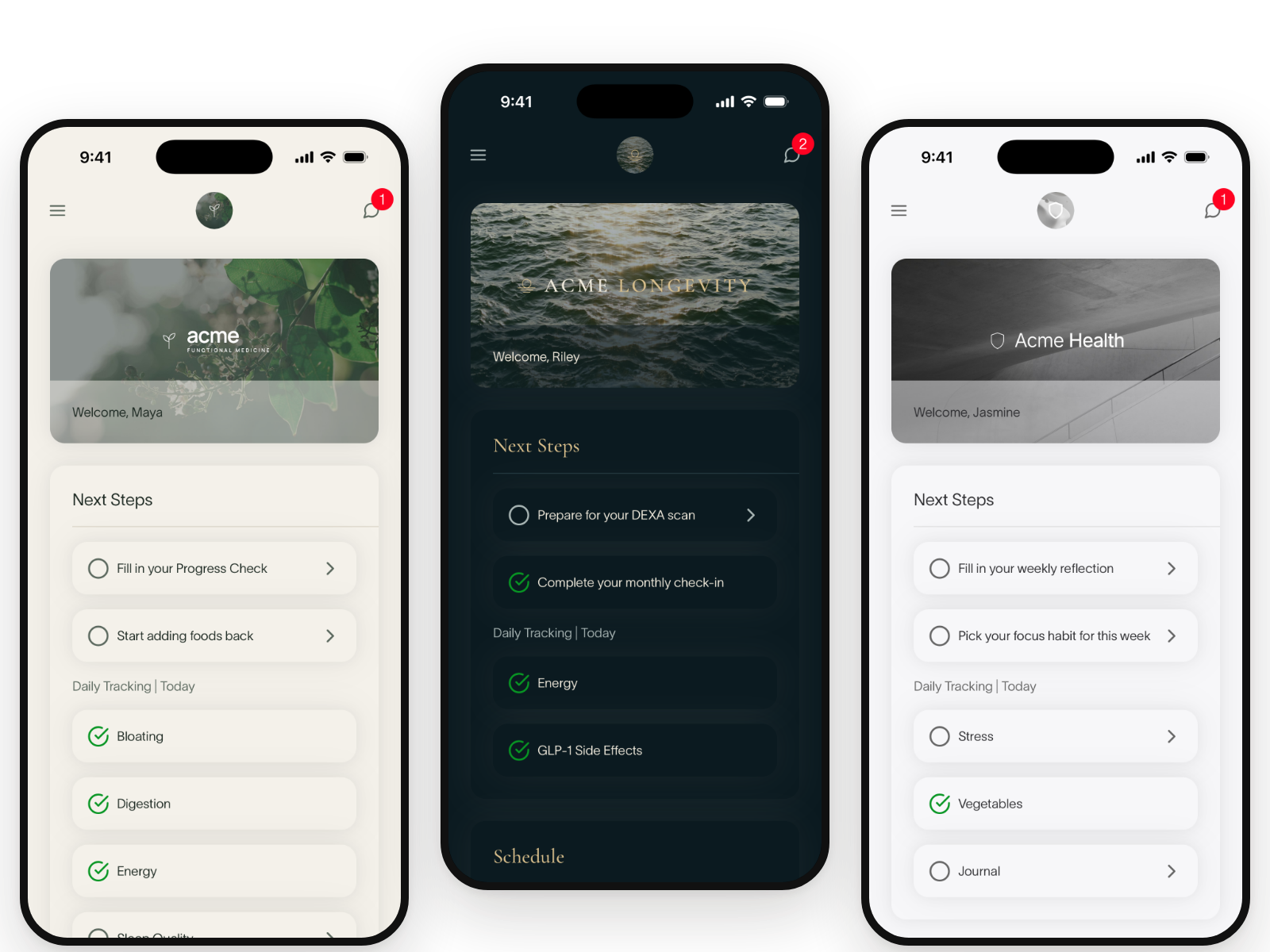
Logo, colors, fonts, icon and home image, in an app patients download.
Patients, clients, members or athletes, and every section named the way you talk.
Switch each feature on or off, choose where it appears, and change it anytime, no app update needed.
Your welcome screens, with your agreements accepted at sign-up.
Each patient sees who's caring for them, plus a directory of your providers.
Listed under your own name, with self sign-up for the people you serve.
Image: intake in the app
02 · Intake
Patients finish the paperwork at home, and it lands exactly where your team needs it.
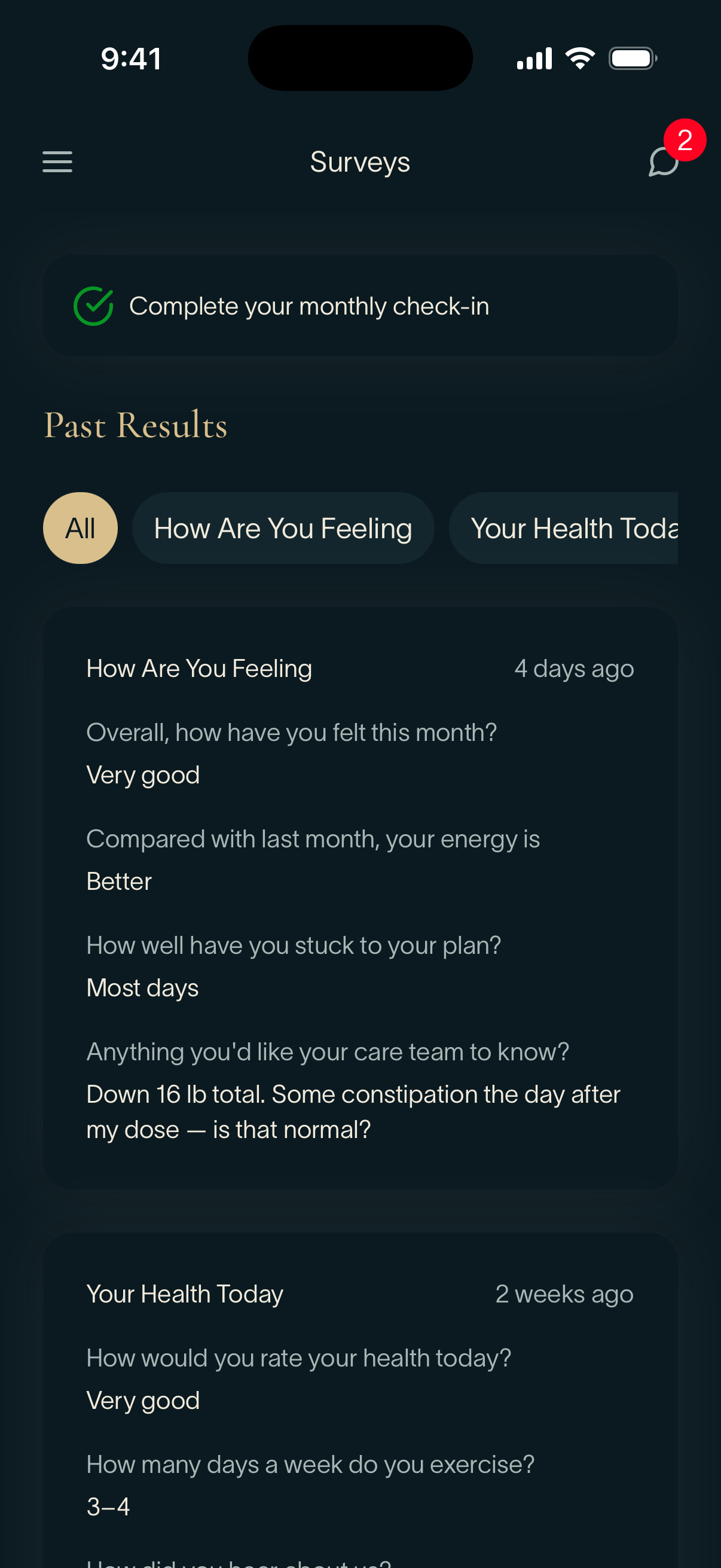
Long or short, asked in the app and saved straight to the chart.
Goals, conditions, medications and symptoms, collected step by step.
Consent and program agreements, accepted in the app and always on record.
Patients add their insurance details, and intake adapts when they pay out of pocket.
Invite patients yourself, or let them sign up on their own.
Patients sign in with their phone number and a text code. Nothing to reset.
03 · Ongoing care
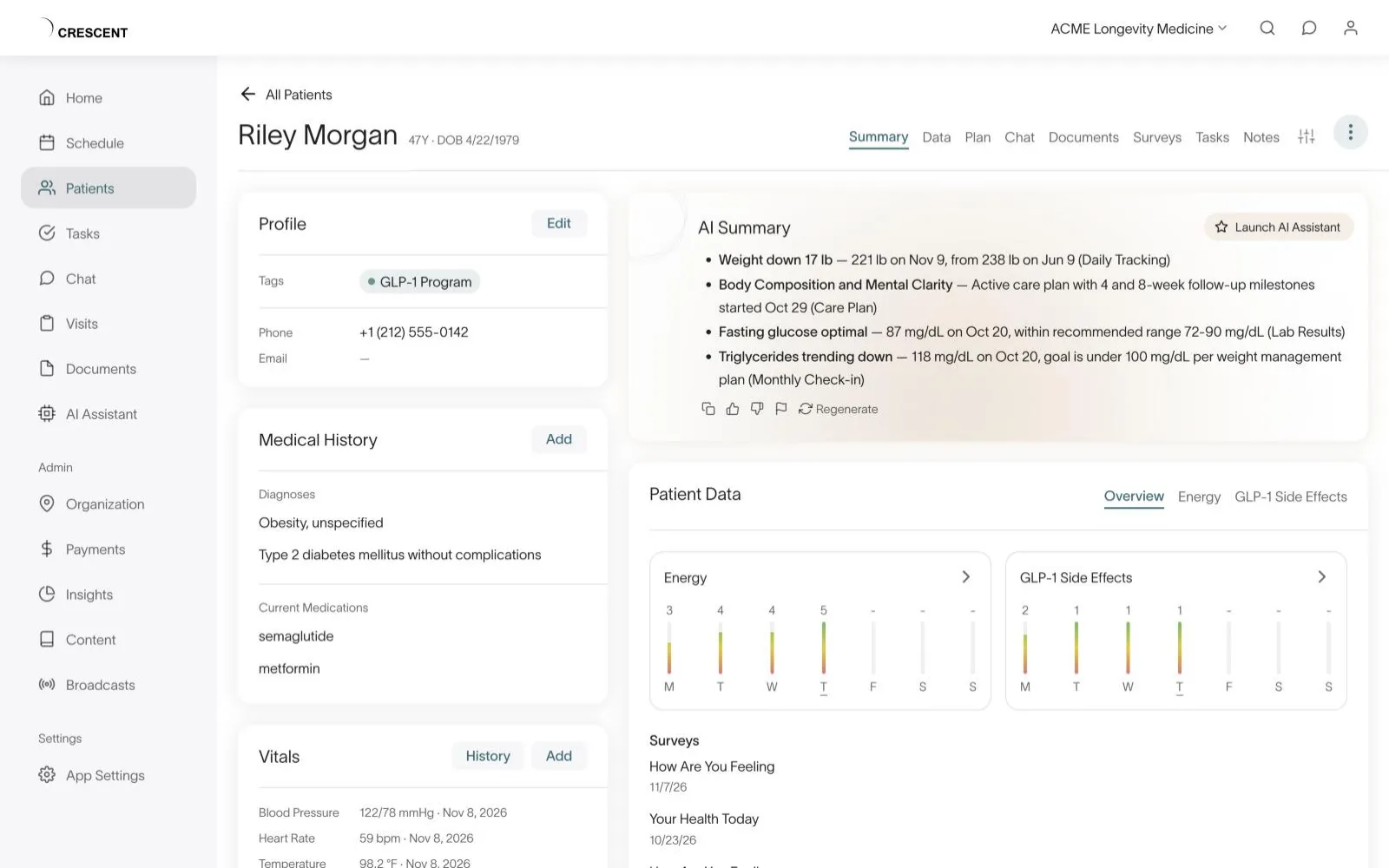
The day-to-day work of getting better happens in your app, and everything lands on the chart’s timeline as it happens.
Image: home screen and check-in
Mood, sleep, symptoms or habits, whatever you track, charted over time.
Steps, sleep and more, pulled in alongside their check-ins.
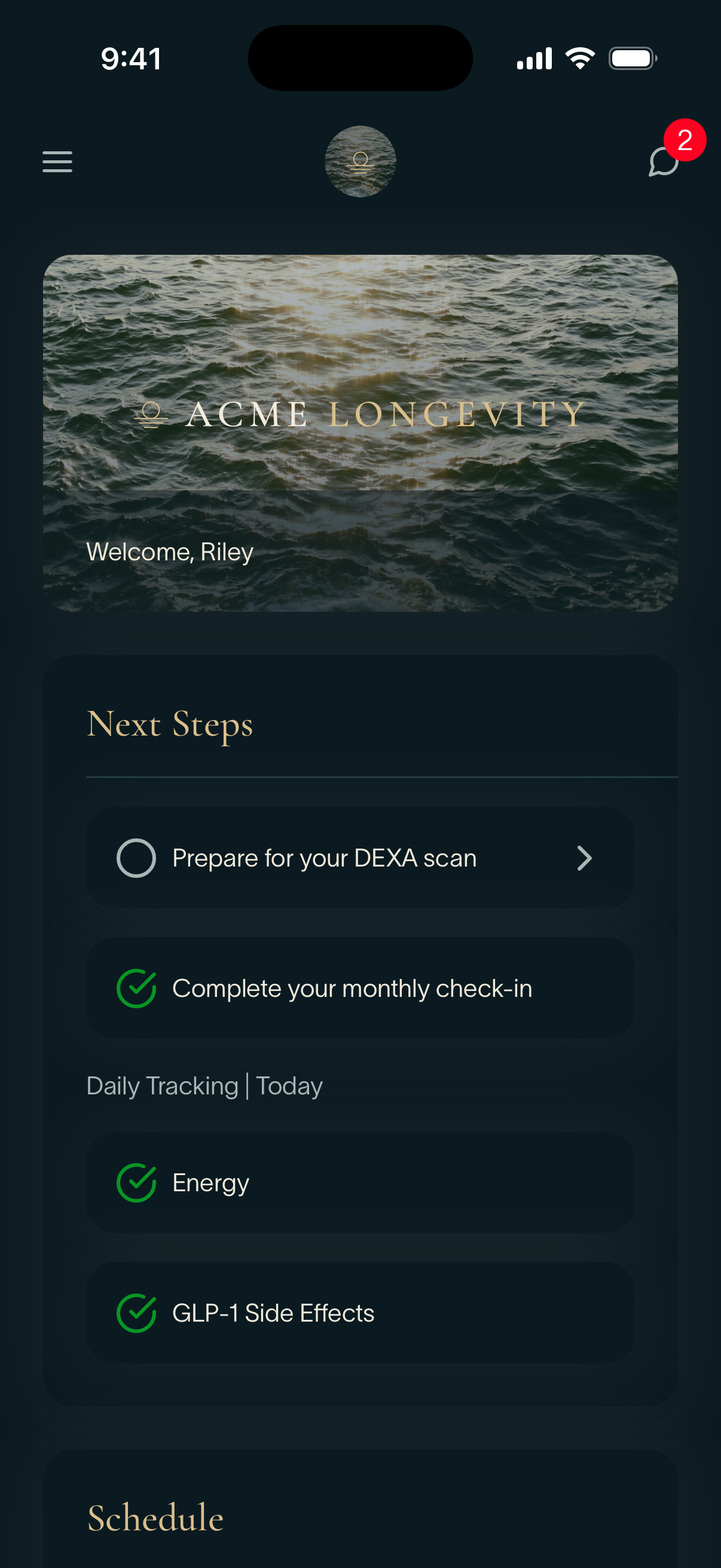
Tasks and check-ins together on the home screen, so the plan keeps moving.
Goals, medications and next steps, built from your templates.
Your library, from lessons to guided meditations, in the app.
One thread per patient, with photos, video and files.
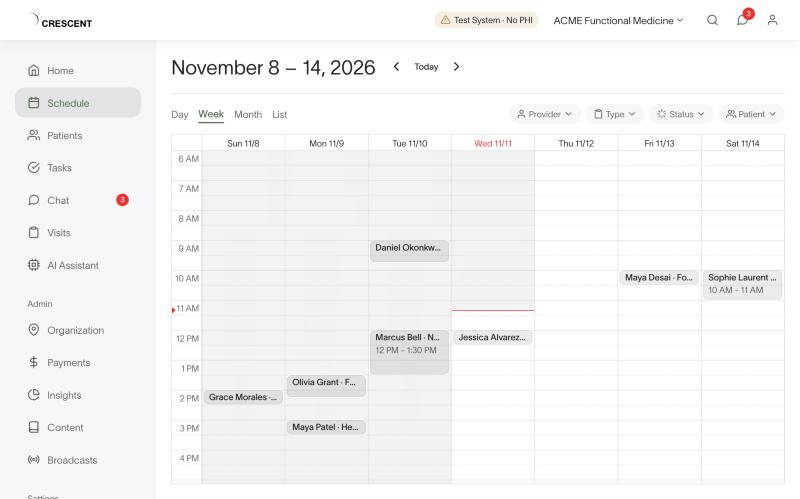
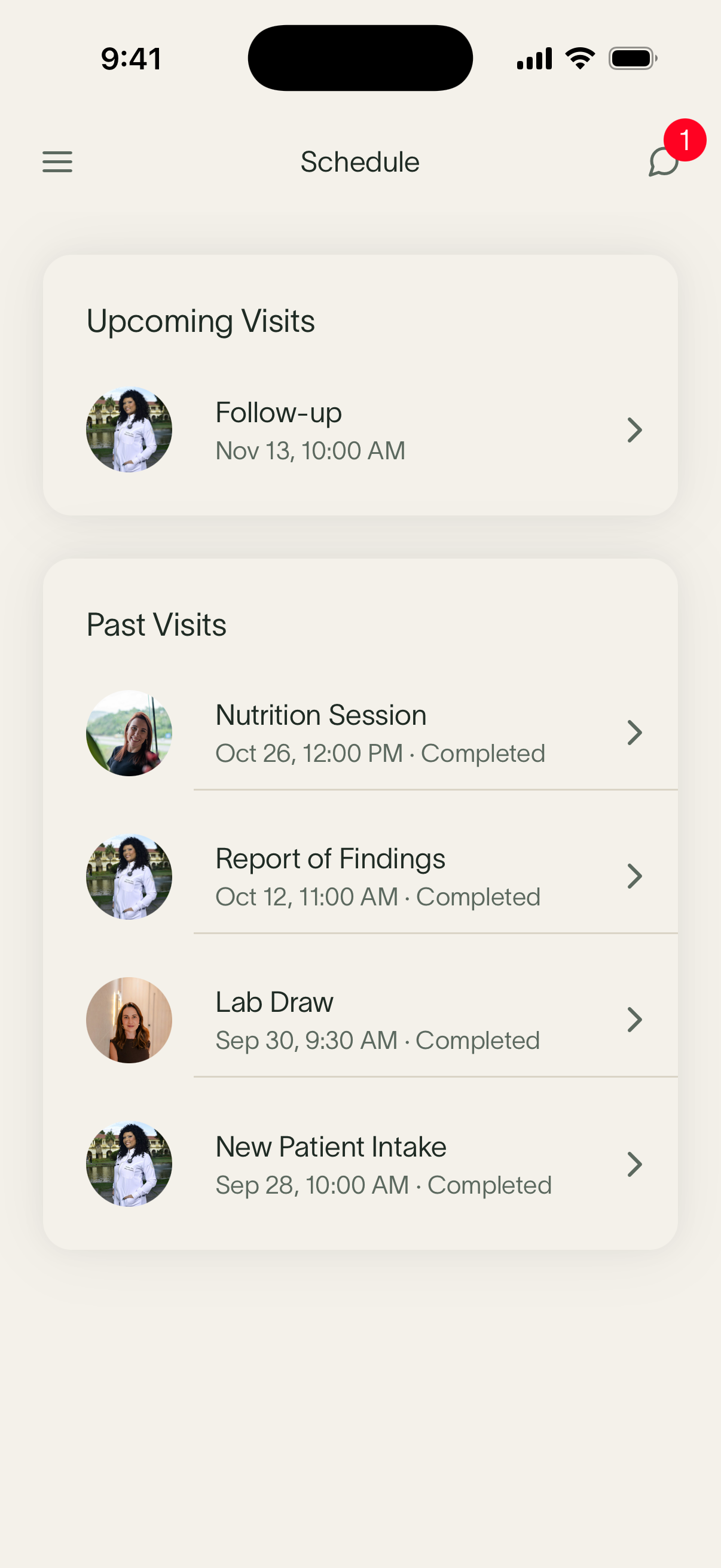
Image: schedule and visit note
04 · Visits and notes
Scheduling, video visits and documentation, all on the same record as everything else.
On your team's real calendars, with your own visit types and rules.
Video visits started in one click from your schedule.
The right template for each visit, filled in from the chart, then reviewed and signed off.
Patients keep vitals, medications and allergies current, and every edit lands on the chart.
Share files to a patient's chart for them to read or download.
Every visit, visible to your team and to the patient.
05 · Follow-up
Outreach that reacts to what patients actually do, so following up never lives on someone's checklist.
Image: journey builder
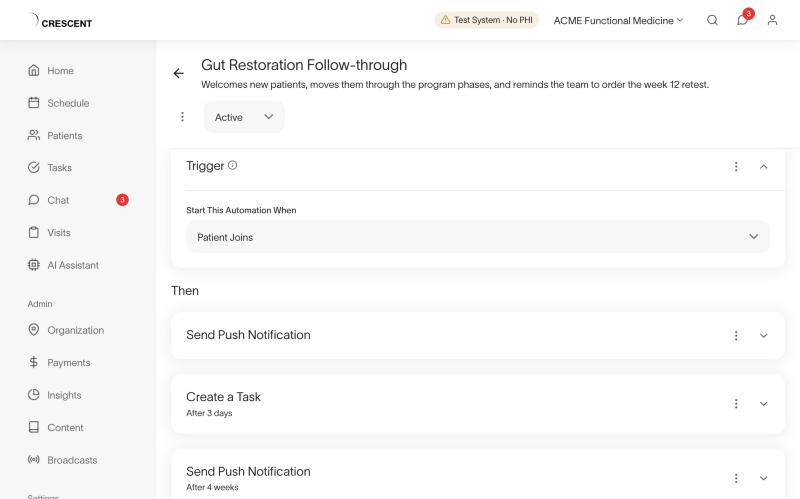
When something happens, reach out at just the right time. All set up in settings.
A missed check-in, a survey answer or a new sign-up, not just a booking.
Push, text, email or in-app, with caps so no one hears from you too often.
A worrying answer puts a task on the right person's list, so nothing waits for someone to notice.
Check-in questions sent when the time is right, or whenever you need them.
Message one patient or a whole group at once, with names and details filled in so it reads like you wrote it.
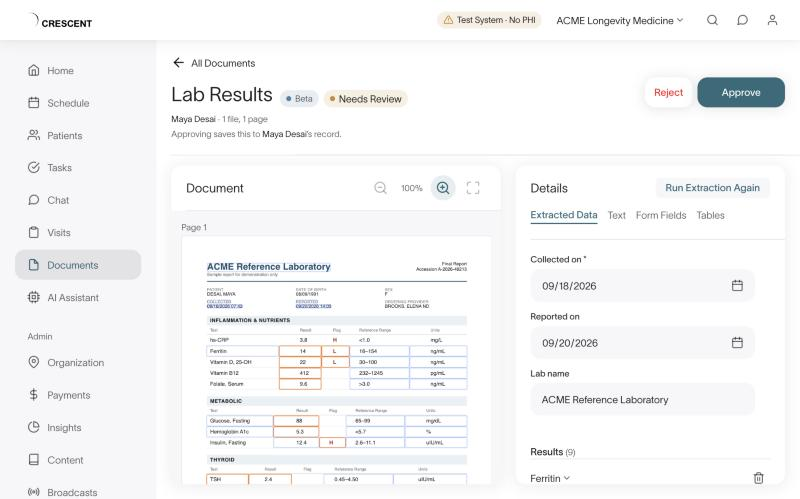
Image: report review side by side
06 · Reports and AI
Practical help for your team, grounded in your own records and your own guidance.
Upload a lab or outside report. The values are read into the chart and checked against the page.
Generated from their record, so you're caught up before you open the chart.
An assistant on the chart that answers your team's questions.
Questions across all your patients, answered from your own data.
Each assistant works from your instructions and your own articles.
AI helps your team read and find. Nothing reaches a patient without you.
07 · Getting paid
Payments, memberships and claims on the same record as the care, paid into your own account.
Image: invoice and payment
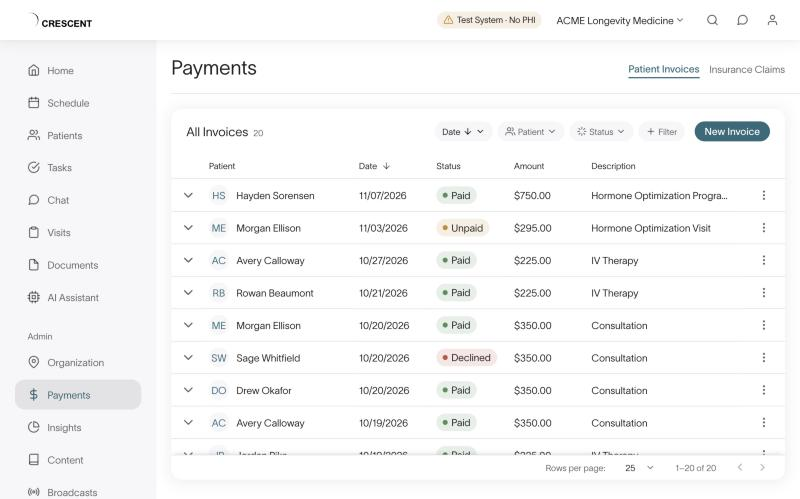
Patients save a card and pay their balance in the app.
Issue, refund or void, all tracked on the patient's record.
Patients join your memberships right in the app.
Set per visit type, so your policy is applied for you.
Charges added in the visit note become claims, with eligibility checked first.
Payments go straight to your account, never through ours.
Image: Insights page
08 · Running the practice
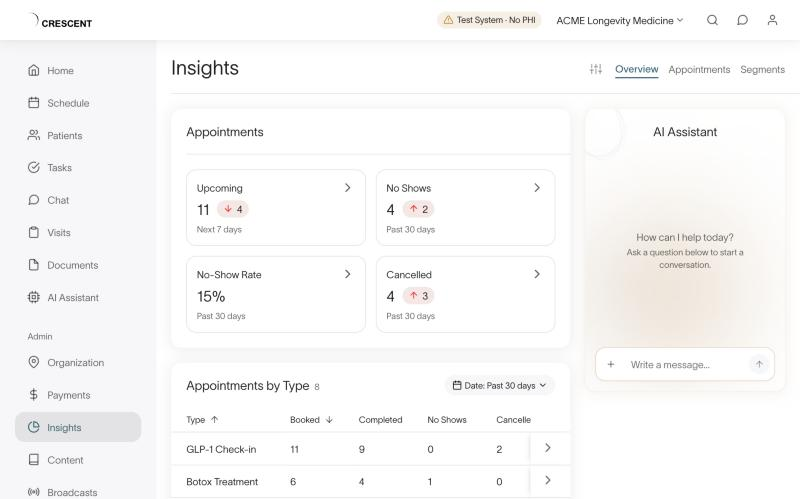
How the practice is doing, and which patients need attention, a click apart.
Visits by type, no-show rate and patient segments, each a click from the patients behind them.
Tag anyone, like VIP or overdue for labs, or filter by alerts and clinical details, then act on the list.
Today's tasks, appointments and recent patient activity on one screen.
Decide what each person on your team can see and do.
Assign, comment and track work across the team, with nothing falling through.
Team screens that work on a computer or an iPad, at the front desk and in the room.
09 · Integrations
Use a tool that isn't listed? Ask us and we'll look at connecting it.
Stripe
Zoom
Google Calendar
Outlook Calendar
Apple Health
Fullscript
Claim.MD
Acuity
10 · Secure data
We sign a BAA from day one, and our team handles the technical setup.
Stored to FHIR, the standard the industry agreed on, so it's portable.
Your records are walled off from every other practice on Crescent.
Something not here?
New features and integrations are quoted before we start, so you always know what's included and what's extra.
